How to Set the Date and Day on Your Watch (Without Damaging It)
B Binbond Watches Pakistan - Official & Authorized Store • • 5 min read
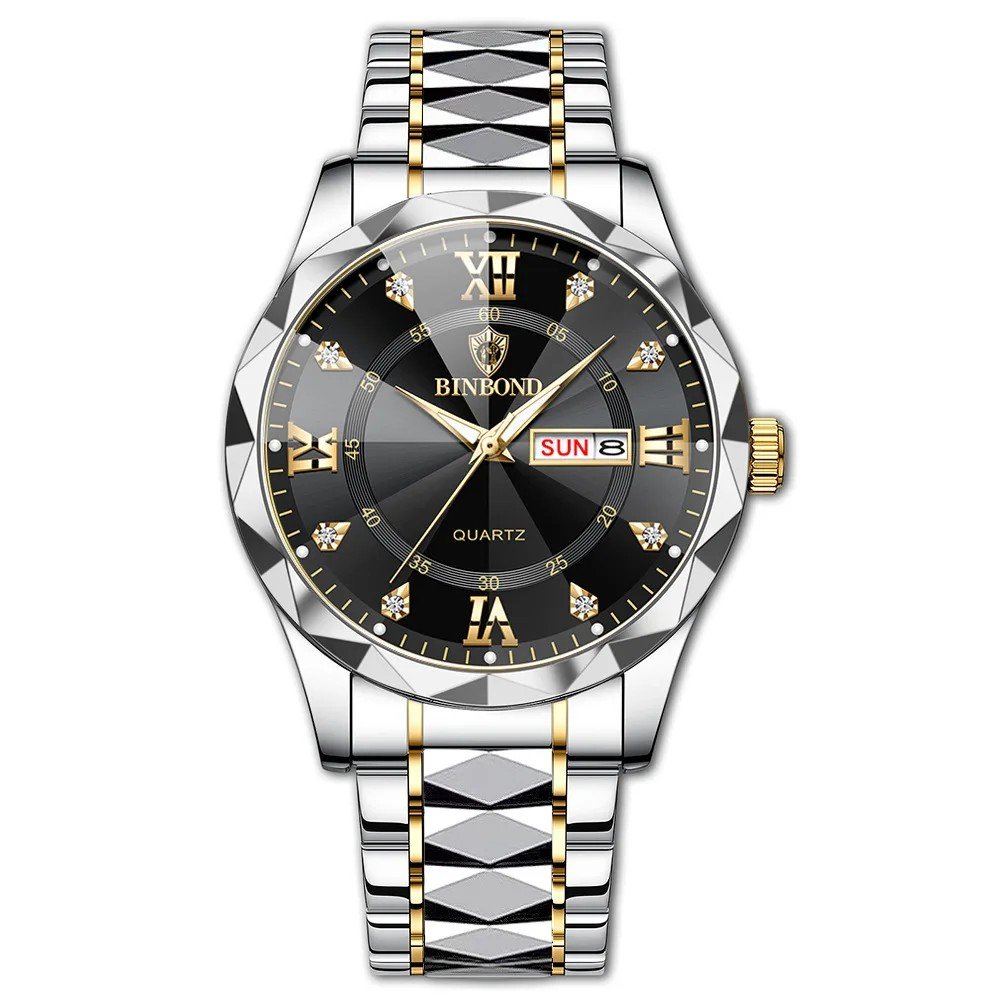
You unbox a new watch, and the date is wrong. Or the month just ended and you need to move from the 30th to the 1st. Setting a watch looks simple, but doing it the wrong way can damage the delicate date mechanism. This guide from Binbond Watches Pakistan explains how to set the time, date and day safely on most quartz watches with a crown.
Know your crown
The crown is the small knob on the side of the case, usually at 3 o’clock. It has positions you reach by pulling it out gently:
- Position 0 (pushed in): normal wearing position. On screw-down crowns, the crown is screwed against the case and must be unscrewed first, by turning it towards you (counterclockwise).
- Position 1 (pulled out one click): on many day-date watches, this sets the date (and sometimes the day).
- Position 2 (pulled out two clicks): this sets the time. On some models the order is reversed, so look at the instructions.
Pull the crown straight out without twisting, and never force it.
The 9 pm to 3 am rule
The date mechanism engages in the late evening and early morning, usually between about 9 pm and 3 am, as it prepares to change at midnight. Changing the date while the gears are engaged can damage them. To be safe, set the date when the hands show a time between 3 am and 9 pm, or first move the hands to around 6 o’clock before setting the date. This is one of the most important watch care rules.
How to set the date (quartz day-date watch)
- Pull the crown out to the first position.
- Turn the crown (usually counterclockwise) until the correct date appears.
- If your watch also shows the day, turn the crown the other direction until the correct day appears. On some models, one direction changes the date and the other direction changes the day.
- Push the crown back in.
How to set the time
- Pull the crown to the last position (time-setting).
- Turn the crown to move the hands. Moving them clockwise is usually safest.
- Set AM and PM correctly: turn the hands past 12 and watch the date window. The date should change at midnight (12 at night), not at noon. If it changes at noon, move the hands forward by 12 hours.
- Push the crown back in, and screw it down if it is a screw-down type.
Setting the date for short months
Most day-date watches show dates up to 31 and do not know the month length. On the first day after a month with 28, 29 or 30 days, move the date forward manually. For example, after the 30th, the watch will show 31 and you will need to advance it by one day to show 1. Use the safe time window above.
Setting an automatic watch
Automatic watches also need a gentle wind before setting. Wind the crown clockwise 20–30 turns (if the model allows), then set the date and time. If the watch stopped after sitting, a few shakes also help it start.
Common mistakes
- Forcing the crown. Do not pull or twist hard.
- Changing the date at night (9 pm to 3 am).
- Operating the crown with wet hands or in water.
- Not pushing the crown back in, which loses water resistance. Read water resistance explained.
When to ask for help
If the crown feels stuck, if the date does not change, or if the watch does not respond after a battery change, do not force it. Contact us with your order number and details, and we will guide you. See also our warranty guide.
Quick reference: crown positions
| Position | Typical use (quartz day-date) |
|---|---|
| Pushed in | Normal wear |
| First click out | Set date and day |
| Second click out | Set time (hands move) |
Some models are different, so check the instructions that came with your watch, or ask us for the details of your model.
Setting a new watch for the first time
- Take the watch out of the box and remove the protective film from the case back and glass if present.
- Check that the second hand is moving (quartz) or wind it a few turns (automatic).
- Set the time and date as described above.
- Check the bracelet length and adjust it if needed.
- Compare the time with your phone after 24 hours to make sure it is running well.
After a battery change
After a new battery, the watch may need its date and time reset. Make sure the crown is fully pushed in, and the watch seals properly. If the second hand jumps in two-second steps, that can mean the battery is low, and you should change it soon.
Daylight saving and travel
Pakistan does not usually change its clocks, but if you travel to countries that do, set the time by moving the hands forward when possible. Moving the hands backwards is fine on most quartz watches, but on some mechanical watches it is safer to go forward. If your watch has a date, avoid passing midnight on the dial while the date mechanism is changing. When in doubt, move the hands forward by the needed hours.
Frequently asked questions
Why does my watch show the wrong date at midnight?
Check that you set AM and PM correctly. The date should change at midnight, not at noon.
Can I set the day in Arabic or Urdu?
If your watch has a language option, the instructions explain how. Many watches use a fixed language.
Does the date change automatically?
Yes, daily, but not for short months. You will need to correct it manually.
Keep your watch in top shape
Read the full watch care guide, or learn more about day-date watches.
1 comment
[…] That depends on the watch. Some displays are decorative and some are working indicators. Always read the product page and instructions before you adjust any crown or pusher, and avoid setting a calendar function when the watch is in a risky time window. For basic setting steps, see how to set the date and day. […]